


"Wow." "Amazing." "Incredible."
Sit next to someone who is trying out the new, free Google Earth program for the first time, and you're likely to hear similar exclamations.
"If you're going to write about this, tell your readers to be prepared to spend a few hours in awe."
So what's all the fuss about? Put simply, Google Earth shows you the world like no other software program ever has. Download Google Earth (http://earth.google.com), and within minutes you're looking from outer space at the little blue ball we call Earth. Type a location into the "fly there" box and you zoom down from outer space, with topography, countries, and cities slowly coming into view.
But the real magic happens next. Zoom further down, and Google Earth gets more detailed -- much more detailed in many cases. This is where the exclamations of incredulity usually arise from first-time users. The program uses high resolution imagery drawn from a number of sources, including images taken by satellite and aircraft over the past three years, to give you a representation of the earth's countries, cities, towns, and streets that is detailed to the point of showing individual houses, boats, cars and trees.
"Broadband streaming technology" and "3D graphics, much like a video game, (allows) users interactively to explore their world, either their own neighborhood ... or the globe," says John Hanke, a general manager at Google who helped oversee the Earth project.
Most users are startled at the level of detail available in the program. But don't be too concerned: what you see in Google Earth isn't real-time data, nor is it so detailed that could zoom in to see yourself looking at the computer with your mouth hanging open -- at least not yet.
But you can see plenty. "I can locate my own townhouse," Medley said, exclaiming, "I could even spot my car sitting in the parking lot."
Google Earth does not offer that degree of detail for all places. Currently, selected cities and towns in the US are covered in high resolution, but greater high-resolution coverage of major areas around the world is underway and will be added in the coming months, Google notes.
A complete list of high-resolution coverage is available in the coverage list that is freely downloadable from http://earth.google.com/coverage/google_earth_coverage_list_2005-06- 07.pdf.
When starting off, choose places such as New York City, Paris or the Grand Canyon in Arizona to get a taste of the mapping detail.
According to Google, the best view you get is equivalent to a 1m distance. A little experimentation will show that you not only get a bird's eye view at street level but can also alter your perspective and zoom through the streets horizontally, as though you were looking at things from an automobile cruising about the ground.
Depending upon the speed of your computer and your Internet connection, a bit of patience may be required when first viewing a location. That's because Google Earth streams necessary data to your computer as you zoom in on a location. The small footprint of the initial installation means that you're getting basic code to run the program; as you exercise the program's features, more information is downloaded to your PC on an as-needed basis.
A status bar labeled "Streaming" along the bottom edge of Google Earth's main screen lets you know what percentage of the data currently in view is complete. The good news is that the image builds dynamically, so you can see cities, towns, topography, and even street names and buildings appear before your eyes when you first view a location.
At some point while using Google Earth, you'll probably wonder how Google can offer so much functionality free of charge. While Google is typically tight-lipped about how it monetises free offers, it's fairly easy to see how Google Earth could generate plentiful revenue streams. First, there are options in the program that allow you to display information such as coffee shops, restaurants, lodging and rental car locations in particular locations; advertisers will pay to get their information displayed in a program destined to receive the amount of attention that Google Earth will.
Also, Google Earth is currently available in three versions. In addition to the basic Google Earth, there are two retail editions: Google Earth Plus and Google Earth Pro. The Plus edition, available for US$20, includes GPS integration, allowing you to read and track locations from your GPS, high-resolution printing, customer support, and annotation capabilities.
The Pro version, which costs US$400, includes multiple terabytes' worth of imagery and 3D data depictions of the entire Earth, more than you get with the other two versions. A host of other features is available in the Pro version as well.
Google Earth will run on most PCs sold during the past two years. It does require a PC or notebook with 3D graphics capabilities for rendering the detailed topographies it provides. Full system requirements can be found at http://earth.google.com.

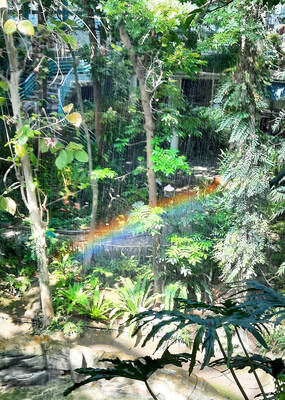
It’s only half the size of its more famous counterpart in Taipei, but the Botanical Garden of the National Museum of Nature Science (NMNS, 國立自然科學博物館植物園) is surely one of urban Taiwan’s most inviting green spaces. Covering 4.5 hectares immediately northeast of the government-run museum in Taichung’s North District (北區), the garden features more than 700 plant species, many of which are labeled in Chinese but not in English. Since its establishment in 1999, the site’s managers have done their best to replicate a number of native ecosystems, dividing the site into eight areas. The name of the Coral Atoll Zone might
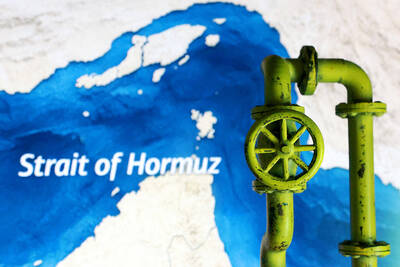
The US war on Iran has illuminated the deep interdependence of Asia on flows of oil and related items as raw materials that become the basis of modern human civilization. Australians and New Zealanders had a wake up call. The crisis also emphasizes how the Philippines is a swatch of islands linked by jet fuel. These revelations have deep implications for an invasion of Taiwan. Much of the commentary on the Taiwan scenario has looked at the disruptions to world trade, which will be in the trillions. However, the Iran war offers additional specific lessons for a Taiwan scenario. An insightful

On Monday morning, in quick succession, the Chinese Communist Party (CCP) and the Chinese Nationalist Party (KMT) released statements announcing “that the Central Committee of the Communist Party of China and General Secretary Xi Jinping (習近平) have invited KMT Chairwoman Cheng Li-wun (鄭麗文) to lead a delegation on a visit to the mainland” as the KMT’s press release worded it. The KMT’s press release added “Chairwoman Cheng expressed her gratitude for the invitation and has gladly accepted it.” Beijing’s official Xinhua news release described Song Tao (宋濤), head of the Taiwan Work Office of the CCP Central Committee, as

Polling data often confirms what we expect, but sometimes it throws up surprises. When examined over time, some patterns appear that speak to something bigger going on. In this column, whenever possible, Formosa’s polls are used. Despite the sometimes cringeworthy antics of Formosa’s Chairman, Wu Tzu-Chia (吳子嘉), the data produced includes detailed breakdowns crucial for analysis. It has also been conducted monthly 11-12 times a year for many years with many of the same questions, allowing for analysis over time. When big shifts do occur between one month and the next it is usually in response to some event in


 RSS
RSS