


One of the most important steps I took in learning Chinese was to find a cell phone that I was able to use properly, in other words one that did not require knowledge of Zhuyin Fuhao (注音符號, or Bopomofo) to type characters. The small, cigarette-length periods of time in the day are perfect for sending an SMS to a Chinese-speaking friend or checking a couple of dozen flash cards, and having a dictionary with you everywhere you go makes learning far more interactive.
Cell Phones and PDAs:
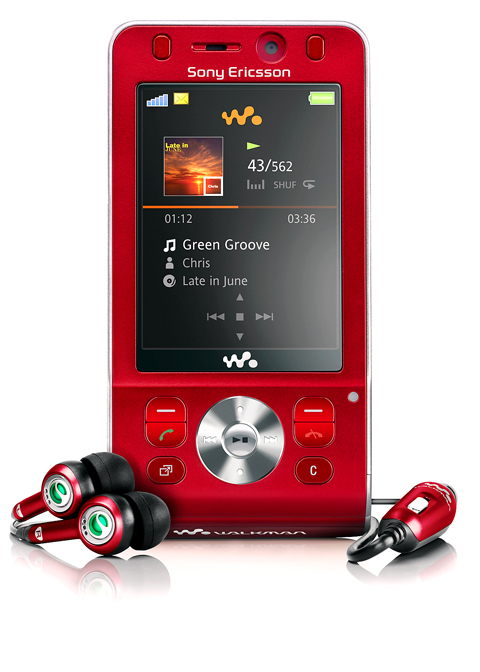
PHOTO COURTESY OF SONY ERICSSON
Sony Ericsson, sogi.com.tw, from NT$2,000
Palm, pdaking.com.tw, roughly NT$12,000
There are few cell phones that can type traditional characters while using the Hanyu Pinyin (漢語拼音) system. After experience with several manufacturers, including Nokia and Microsoft’s Windows Mobile Smart Phones, Sony Ericsson and Palm Treo products come out on top.
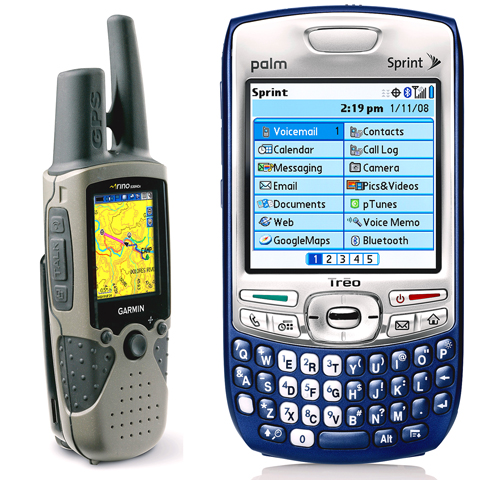
PHOTO: NY TIMES NEWS SERVICE
Sony Ericsson’s input system requires knowledge of Mandarin’s tones, but does help by giving a choice of characters that commonly follow the first one. It is also pretty quick at switching between input methods on the fly and includes support for both Bopomofo and Hanyu Pinyn. While it does open the possibility of sending text messages, dictionaries and flash cards are out of bounds, except on the more expensive Symbian OS models.
After using a number of PDAs, or personal digital assistants, the move to a Palm-powered cell phone meant SMS messaging became a core learning resource. Jumping between a text message and dictionary definition, and then loading new words into flash cards makes mobile communication convenient and fun. The Treo’s PalmDragon Chinese-input system supports both written input on the touch screen and phonetic input on the keyboard and also allows installation of third-party software. However, for the more fashionable students of Chinese (they do exist), Palm’s rounded-brick design for the Treo looks ugly and old-fashioned.
For those prepared to wait, Palm recently launched the Centro line of products in the US, which offer improved styling, reduced bulk and lower prices. But these are not yet available in Taiwan. Apple’s iPhone also does not have a confirmed release date for Taiwan, and while it does support display of Chinese characters as standard, it does not yet have an official input system. A small army of amateur enthusiasts are rallying to develop input methods, but it may be best to wait for a formal release of the product in Taiwan or China before risking “bricking” the unit.
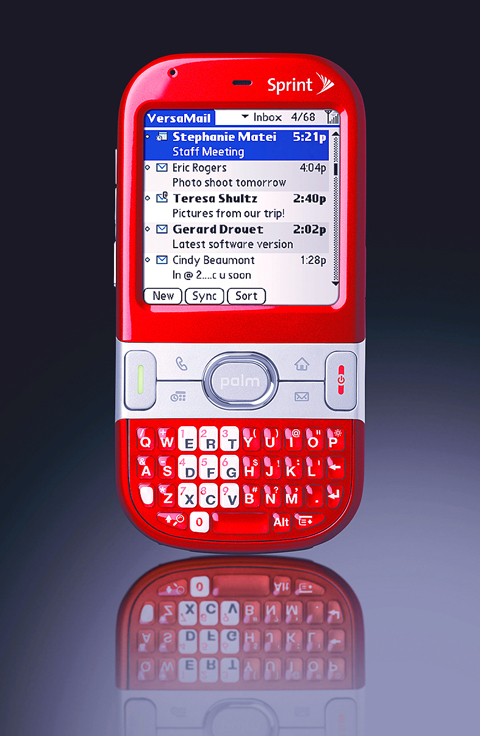
PHOTO: NY TIMES NEWS SERVICE
Flashcards:
Supermemo, supermemo.com, US$19.95, Palm and Windows Mobile
Software flash cards help make the tedious activity of rote learning more like a computer game, statistically tracking the characters learned. The downside is that it is easy to slip into the trap of focusing excessively on vocabulary growth, rather than the more important activities of building patterns of words and phrases. The tool that I use is Supermemo, and although it has its downsides it has formed part of my daily routine — indeed, the Chinese-learning community has already gathered vocabulary lists from National Taiwan Normal University’s textbooks, and it’s quite a motivating feeling to be able to “activate” a new chapter from the books as you progress through Chinese-language study.
Dictionary:
Pleco, pleco.com, US$59.95 to US$119.95, Palm and Windows Mobile
Pleco rules the roost when it comes to mobile dictionaries, and is accordingly very popular at institutions like National Taiwan University’s Language Center. At its heart are dictionaries tailored for students of Chinese, which include useful examples set in context. The input method system is also both Pinyin-friendly and tolerant of mistakes when entering phrases. The devil is in the details, though, and the most important detail for me includes the search history that remembers the previous 30 items — fantastic when you are reviewing a conversation from earlier in the day — and single-touch switching between simple and traditional characters; a boon when visiting China.
Several different versions are available, depending on which dictionaries you select to include in the installation, but beginners will probably not need the premium-level dictionaries.
Downloads:
ChinesePod, chinesepod.com
ChinesePod provides a daily downloadable podcast MP3 file that can be loaded onto your iPod or MP3 player. Its 20-minute duration makes it perfect for an MRT commute. Presenters Ken Caroll and Jenny Zhu avoid the dull standard textbooks and instead deliver content that is witty and relevant, whether it is arguing with a taxi driver or discussing the Olympics. Different levels are available, and in addition to a basic free podcast, they also offer subscription-based access to their premium services, which include podcast transcripts and access to discussion forums where users are able to ask for help or exchange advice.
New technologies cannot deliver immediate mastery of the Chinese language, but as part of a routine that includes formal tutoring and informal conversation with native speakers, they can provide increased relevance and the motivational kick we all occasionally need.


Taiwan’s English education system is being pulled apart by three opposing forces. Bilingual Nation 2030 pulls students toward English and global communication. Artificial Intelligence (AI) readiness pulls them toward digital judgment, verification and AI-mediated work. But Taiwan’s old exam culture pulls them back toward memorization, grammar drills, timed reading and correct answers. If the education system keeps using old exams to define success, it risks producing graduates who are neither genuinely bilingual nor genuinely AI-ready, but trained for tasks machines can already perform. The first force is Bilingual Nation 2030. Launched in 2018, the policy aimed to “help Taiwan’s workforce connect

“Taiwan’s Opposition Leader Comes to US With a Message Straight Out of Beijing” read a May 31 headline in the Wall Street Journal. Top US administration officials and members of Congress almost certainly read the WSJ, and if there was a bullet point takeaway that people in Washington should absorb ahead of Chinese Nationalist Party (KMT) Chair Cheng Li-wun’s (鄭麗文) arrival in DC on June 9, that headline is it. The last few columns have discussed this very topic, and the timing is not coincidental. While those top officials likely do not read the Taipei Times, judging by the number

With weighty, anxiety-inducing geopolitical topics dominating the headlines, checking in on the wild and weird state of local politics can take some of the edge off. This November’s elections will determine who will be in charge of fixing potholes in your neighborhood, not the potholes in Taiwan’s complicated geopolitical space. Recently, after an online interview with a Taipei-based journalist, I commented that Taipei journalists never go further than the MRT can take them. He laughed and agreed. Naturally, the Taipei mayoral race is eating up much of the press attention. TAIPEI CITY Democratic Progressive Party (DPP) candidate Puma Shen (沈伯洋) has

As someone who normally steers clear of books with “transcendence” or “metaphysics” in their subtitles, this reviewer — a casual observer of local belief systems since the 1990s — found Fabian Graham’s Money God Temples in Taiwan a challenging read. Those who’ve only dipped their toes into temple culture will likely need to parse several sections with special care if they’re to keep up with the author, a British ethnographic researcher whose previous books have investigated religious practices among ethnic Chinese in Southeast Asia. This scholarly volume examines a facet of Taiwan’s religious landscape that didn’t exist a century ago, and


 RSS
RSS